
Onsite marketing
Feb 26, 2024
Definition
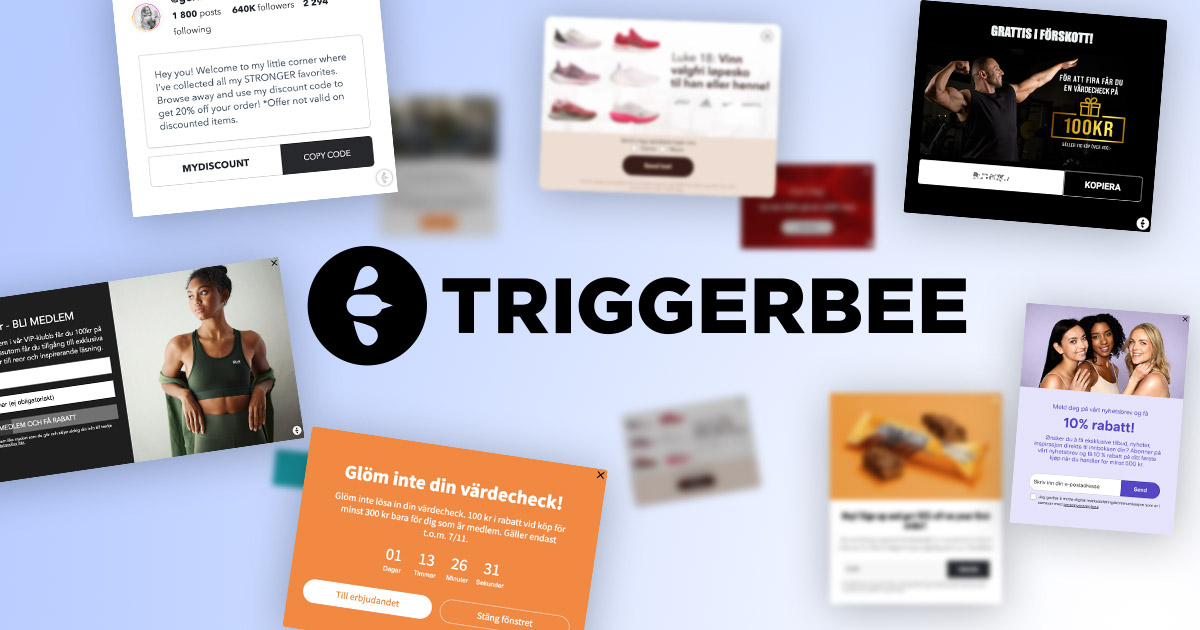
Onsite marketing is the campaigns and content you show visitors while they are on your website: popups, banners, embedded blocks, forms, surveys and personalized messages. Its purpose is to turn the traffic you already have into subscribers, customers and repeat customers.
Why it matters
Most marketing budgets go to bringing people to the website: ads, social, search and email. Far less goes to what happens once they arrive. Yet the website is where customers show the most intent, and most of them leave without buying or leaving an email address.
A visitor who leaves without a trace costs as much to bring back as a new one. A visitor who subscribes, logs in or finds the right product on the first visit is someone you can reach again.
How it works
Every onsite campaign answers three questions:
- Who sees it: new visitors, returning customers, subscribers or people with items in the cart.
- When it shows: on page load, after some time or scrolling, or when the visitor is about to leave.
- How it appears: as a popup, a panel, a banner, a sticky bar or content embedded in the page.
Common examples:
- A newsletter signup for first-time visitors
- A cart reminder when a visitor with items in the cart is about to leave
- A "welcome back" message with new arrivals for returning customers
- A login nudge for registered members
- A short survey after a purchase
The quality of onsite marketing comes down to targeting. A popup that shows the same discount to everyone counts as onsite marketing. So does a banner that reminds a loyalty member of an unused reward. Only the second one needs to know who the visitor is.
How you use it in Triggerbee
Triggerbee is a customer engagement platform. Onsite experiences are one part of it, built on person-level website visitor identification and the data in the tools you already use. In Triggerbee you can:
- Build forms, promotions, surveys, referrals, product tours and nudges, shown as a popup, panel, callout, embedded, fullscreen, edge or sticky layout.
- Target each one with audiences built on behavior, interests, CRM data, traffic source or weather, and triggers such as time on page, scroll or exit intent.
- Use data from tools such as Klaviyo, Voyado, Rule and Emarsys to target known customers, and send form submissions and website behavior back to them.
- Track conversions and assisted sales per campaign, and A/B test changes.
Buzz, the Triggerbee AI copilot, can build a campaign or an audience for you, and it publishes nothing until you approve. See what you can build on the onsite experiences page.
Example
A beauty retailer runs three onsite experiences at the same time. First-time visitors see a signup form with a welcome offer when they are about to leave. Loyalty members who are not logged in see a small nudge to log in. Logged-in members see an embedded homepage banner about an unused reward, based on data from the loyalty system.
Common mistakes
- Too many campaigns on one visit. Decide how often each visitor sees each campaign.
- One message for everyone. A welcome discount shown to a loyal customer teaches them to wait for discounts.
- Measuring only signups. Track what happens after the campaign, such as purchases and assisted sales.