








High Converting Product Recommendation Quiz Campaigns for your website

Create a simple product recommendation quiz / product finder quiz that engages users, guides them to the right products, and boosts conversions across your store.
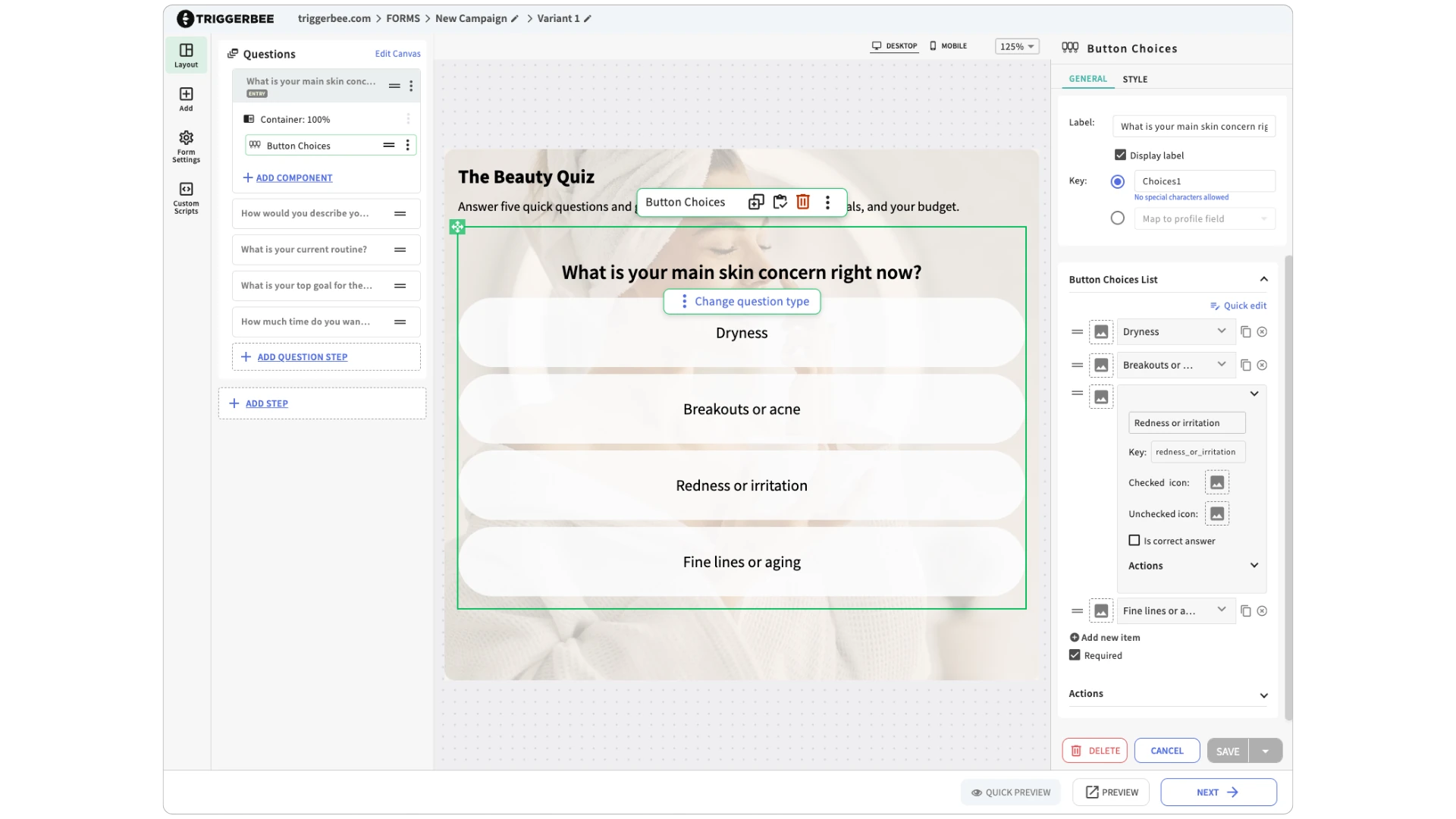
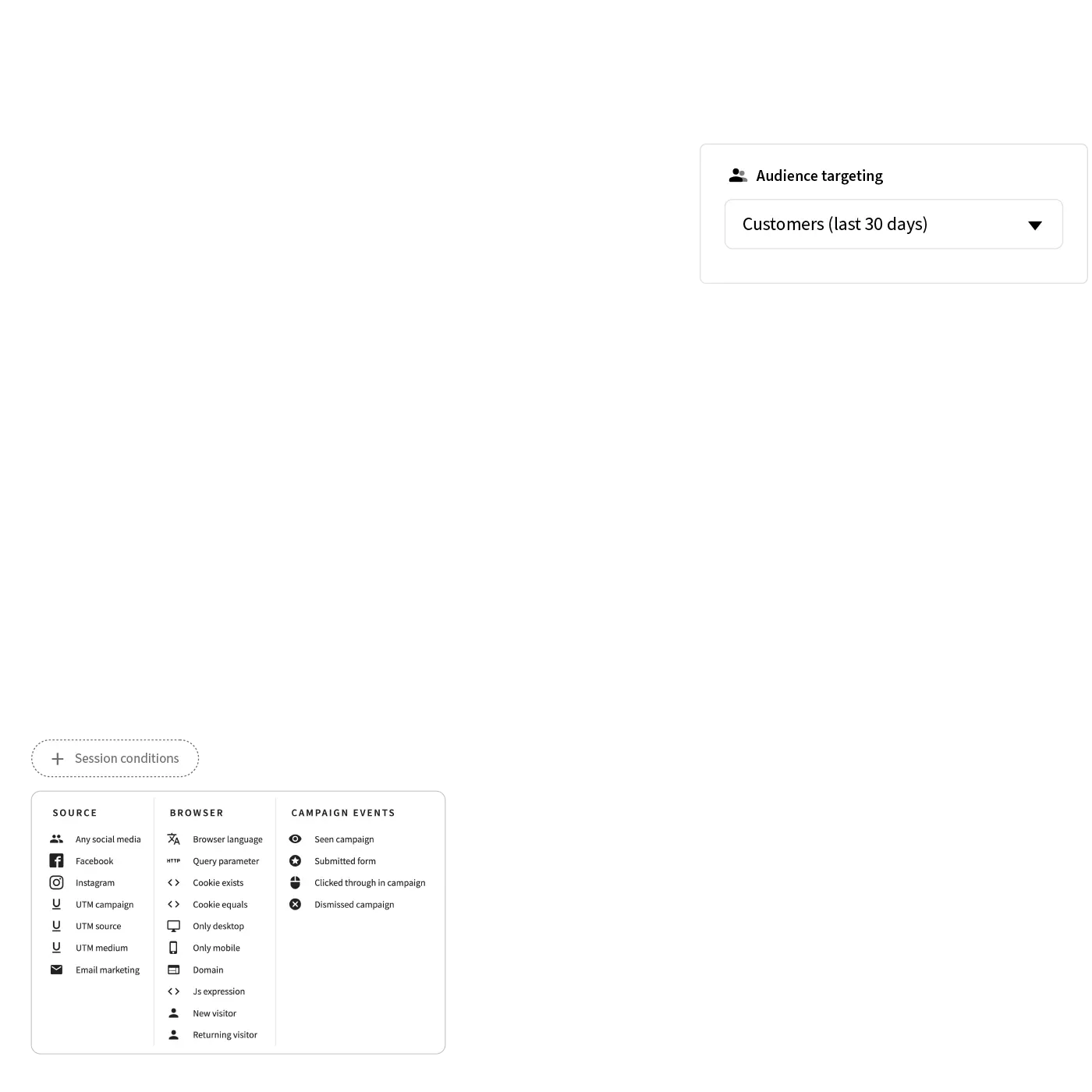
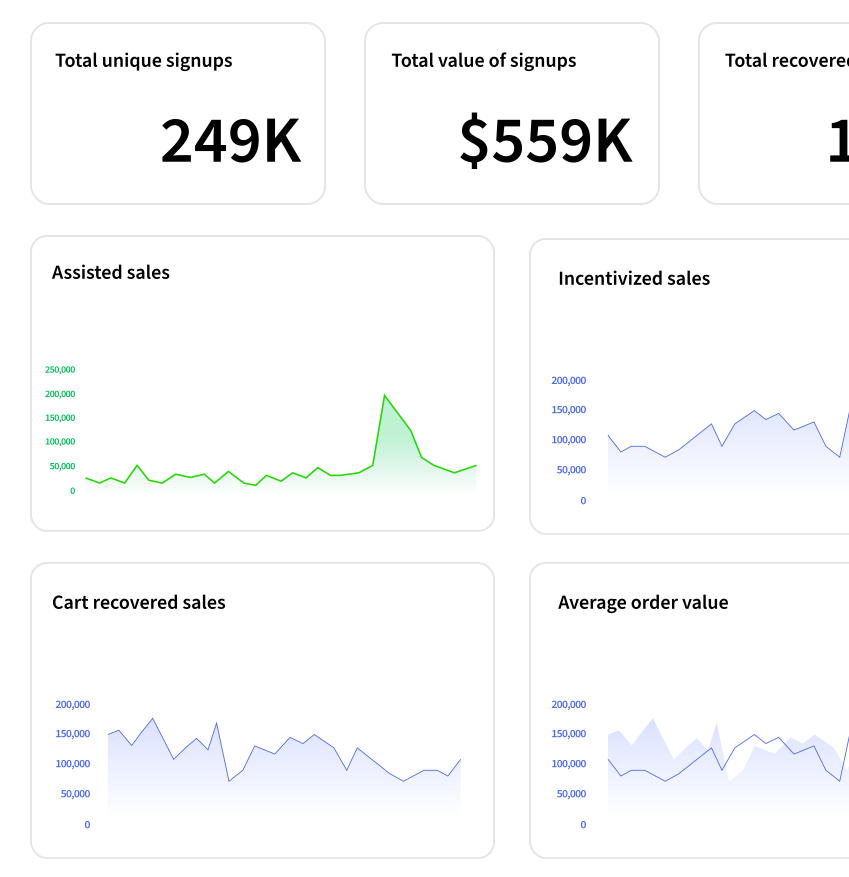
A product recommendation quiz to help visitors find products. A graph that shows increased sales, and audience targeting settings.

Trusted by 800+ websites worldwide

Create a Free Product Recommendation Quiz for Your Website - Boost conversions with a product finder quiz
J.Lindeberg
Create a Free Product Recommendation Quiz for Your Website - Boost conversions with a product finder quiz
Efva Attling
Stronger logo
Create a Free Product Recommendation Quiz for Your Website - Boost conversions with a product finder quiz
kicks-logo
Cervera
Breakit logo
Create a Free Product Recommendation Quiz for Your Website - Boost conversions with a product finder quiz
XXL
Gina Tricot logo
Bubbleroom logo
Create a Free Product Recommendation Quiz for Your Website - Boost conversions with a product finder quiz
Flowlife Logo
Create a Free Product Recommendation Quiz for Your Website - Boost conversions with a product finder quiz
Try it Yourself!
Try it Yourself!

Product Recommendation Quiz Key Features

Flexible recommendation logic

Use the data repeater to build your own static product recommendations. Upload your Google Shopping feed or a custom sheet, then choose exactly which products to show in each result. Filter by price, category, or any field you want.

Outcomes for every path

Outcomes let you create multiple result screens, each with its own product selection and message. Build outcomes based on scoring, single answers, or grouped criteria.

Triggers & targeting

Trigger on scroll, exit intent, time on page, or custom JavaScript.

Mobile responsiveness

Optimized for all devices. Smooth, fast, and touch-friendly.

Works on ALL platforms

Compatible with Shopify, WooCommerce, Magento, Webflow, Wix, React sites, and more.

Performance & security

Lightweight and fast-loading. No impact on site speed, fully GDPR-compliant.

We've increased our customer base by over 40% in 12 months, and our average order value is €20 higher. Triggerbee is a great tool with top-notch customer service.
tim agerblom
Tim Agerblom
E-commerce Manager @ Didriksons

No-code editor

Design high-converting onsite campaigns without developers

4 min setup

Add Triggerbee to your site and publish your first campaign in no time

150+ Templates

Add Triggerbee to your site and publish your first campaign in no time

Used by 800+ Sites

800+ Sites use Triggerbee to improve their onsite experience.

How to Create a Product Recommendation Quiz Campaign for Your Website

A tracking script with a cursor copying the script

1

Sign up for free and install on your site

Install Triggerbee manually or use our official GTM template. You can install Triggerbee on your website in less than two minutes.

2

Select a Product Recommendation Quiz Template

Select a Product Recommendation Quiz Template

3

Set up Targeting and Hit Publish!

Choose who should see your Product Recommendation Quiz with audience targeting and hit publish!
Create a Free Product Recommendation Quiz for Your Website - Boost conversions with a product finder quiz

A Product Recommendation Quiz Game Can Boost your sign up rate by 200%

By using a Product Recommendation Quiz on your website can boost your sign up rate by over 200% and effortlessly increase your sales.

Trigger Product Recommendation Quiz campaigns based on CRM data or browsing behavior

Triggerbee is the only tool that lets you use your CRM data to target specific audiences or segments on your website with Product Recommendation Quiz campaigns.

Grow your email list with creative onsite communication

Gamify your signup forms to grow your email list and improve your welcome experience.

Boost visitor engagement

Skyrocket your engagement and conversions by using Product Recommendation Quiz campaigns that grab your audience's attention and reward their curiousity.

Design your Product Recommendation Quiz campaign like a pro

Just drag, drop, and style your campaign until it fits your brand. Customize colors, fonts, and rewards that make your visitors want to engage.

Target the right visitor at the right time

You decide who sees your Product Recommendation Quiz campaign and when. Trigger it for new visitors, loyal members, or people about to leave your site. Show the right reward to the right person, every time.
Create a Free Product Recommendation Quiz for Your Website - Boost conversions with a product finder quiz

Track every interaction, signup, and sale

See exactly how your Product Recommendation Quiz campaign performs, from the first interaction to the final purchase. Track coupon usage, sales, and real conversions so you know what actually drives revenue.
Analytics dashboard in Triggerbee showing 4 different graphs

Frequently Asked Questions

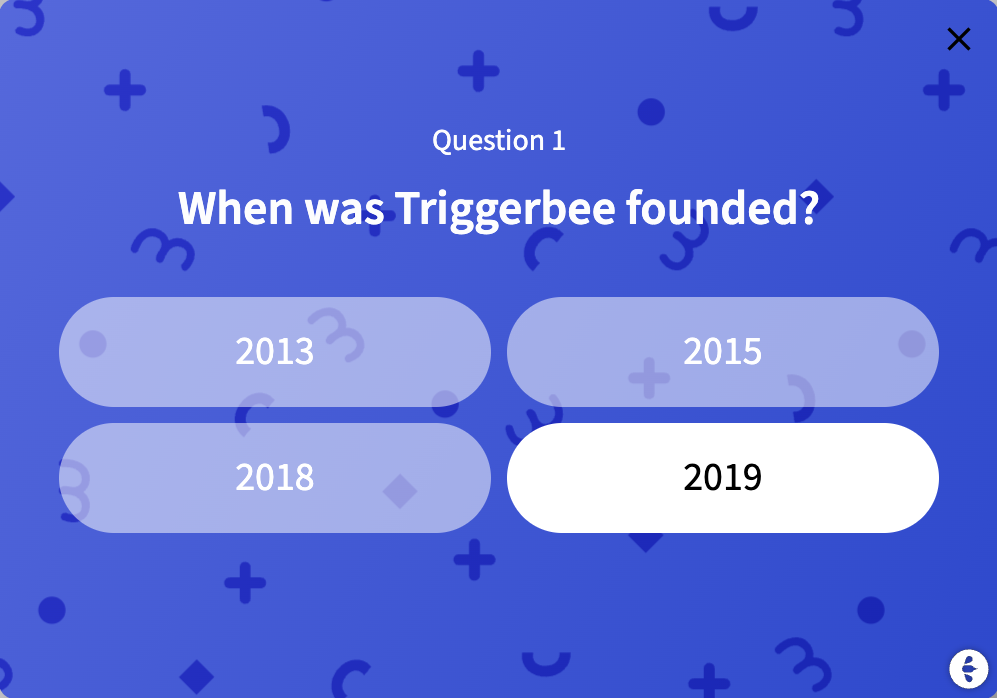
A Product Recommendation Quiz is an onsite experience that guides shoppers through a set of questions in order to give them a curated list of products that match their responses. It’s often called a product finder quiz, personalized product quiz, product personalization quiz, guided selling quiz, e-commerce quiz, or solution finder.

There are many other brands in industries outside of e-commerce that use it as a solution finder for services, style concierge, gift finder, or gift assistant during seasonal shopping peaks.

The goal with a product recommendation quiz is simple. Help visitors find the right product without having to scroll through endless category pages. A good product quiz asks the right questions and narrow the choices based on what the visitor/user actually needs.

These quizzes also collect zero party data that can be used for email segmentation and external channel communication. Each answer tells you something about the visitor’s preferences, goals, skin type, style, budget, or pain points. You can then use that data to improve onsite targeting, email journeys, and campaign personalization.

In Triggerbee, the quiz flow is powered by Outcomes. Outcomes give you full control over how the quiz ends. You can create unlimited outcomes based on scoring or answer based rules. Each outcome step can show a different set of recommended products through the data repeater. You have full control over the final recommendations because the data repeater pulls from your Google Shopping feed or a custom spreadsheet you prepare for the quiz.

This makes the recommendations stable, predictable, and it is a great way to push certain products from a specific brand, especially if you are running Retail media-style partnerships. It also removes the need for algorithmic guessing. You decide the logic and the visitor gets a guided experience that feels helpful.

Product recommendation quizzes increase time on site, build trust, reduce choice overload, and help users make confident purchase decisions. It’s one of the most effective ways to help guide users to a product they feel is right for them.

No. Triggerbee is designed to keep your site fast.

Triggerbee’s entire tracking and campaign setup loads asynchronously, meaning it doesn’t block rendering or affect how quickly your page becomes usable.

The total script size is about 55 KB, which is smaller than most similar tools (OptiMonk: 170 KB, Sleeknote: 78 KB, Klaviyo: 69 KB).

Even when running multiple different campaigns, the impact on performance is practically zero. Scripts are cached in the browser and across multiple layers of cache, so returning visitors never re-download them if they return within a week.

In rare cases, if a campaign is embedded in a container without a fixed height, you might see a small layout shift (CLS). To avoid that CLS shift, set a fixed height on your container that matches the height of your widget.

Below you can see a Google PageSpeed test from a Triggerbee customer with ~10 Triggerbee campaigns live and published. The test show that the combined impact on site speed is ~84 KB of transfer size and about 30 milliseconds of main-thread work. This is well below what would meaningfully impact performance, or even be noticeable.

Screenshot from a Google PageSpeed test showing the Triggerbee script loading performance. The total transfer size is 84 KiB with about 30 ms of main-thread work, confirming minimal impact on website speed even with multiple campaigns running.

The key is relevance. Triggerbee gives you full control over timing, repetition, and targeting.

Best practices:

  • Don’t show it instantly when a visitor lands on your website
  • Use exit intent or scroll triggers
  • Limit frequency to once per session or once every few days
  • Keep the design clean and the reward clear

When implemented thoughtfully, interactive and gamified onsite campaigns actually reduces bounce rates by adding excitement instead of interruption.

Nope. It is a built-in component inside Triggerbee’s onsite marketing platform. Everything is point-and-click.

You can:

  • Choose a ready-made design
  • Customize the wheel colors, prizes, and text
  • Add your own coupon codes or form
  • Publish directly to your website

All of it happens visually in Triggerbee’s campaign editor. You never have to touch any code, add extra plugins, or use external tools. Just design, launch, and watch it convert.

Yes. You control the reward structure and how your prizes are distributed. 

However, if you want to use multiple prizes we highly recommend you use a sign up form BEFORE allowing visitors to interact. 

Each prize can be customized with:

  • A specific label and color
  • A prize or coupon code
  • A weighted probability (so rare prizes appear less often)
  • Trigger showing a (static) coupon code immediately, or change step to present a unique reward.

Triggerbee automatically calculates the odds for you based on your settings, so you never need to worry about complex math.

Yes, you can use individual / unique coupon codes in all Triggerbee campaigns. We have even built a free tool that lets you generate up to 50,000 unique coupon codes. Export them as CSV, and upload them to your CMS (WordPress, Shopify, Magento, Centra, etc) to activate them. Then create a coupon set in Triggerbee, using that same CSV file. 

Each visitor who goes through the quiz can receive a one-time code to prevent code sharing or abuse.

You can also set campaigns to pause automatically when all your codes have been used and distributed.

Add the component Unique Coupon Code on the Success step, after the user has completed the quiz and received their recommended products.

Yes. You can decide when and if to collect emails or phone numbers. If you put the email collection before the quiz starts, the user needs to submit the form in order to start the quiz. 

If your goal is to grow your subscriber list, collecting the email before the quiz is a good option. If you want instant engagement, let users answer all questions first.

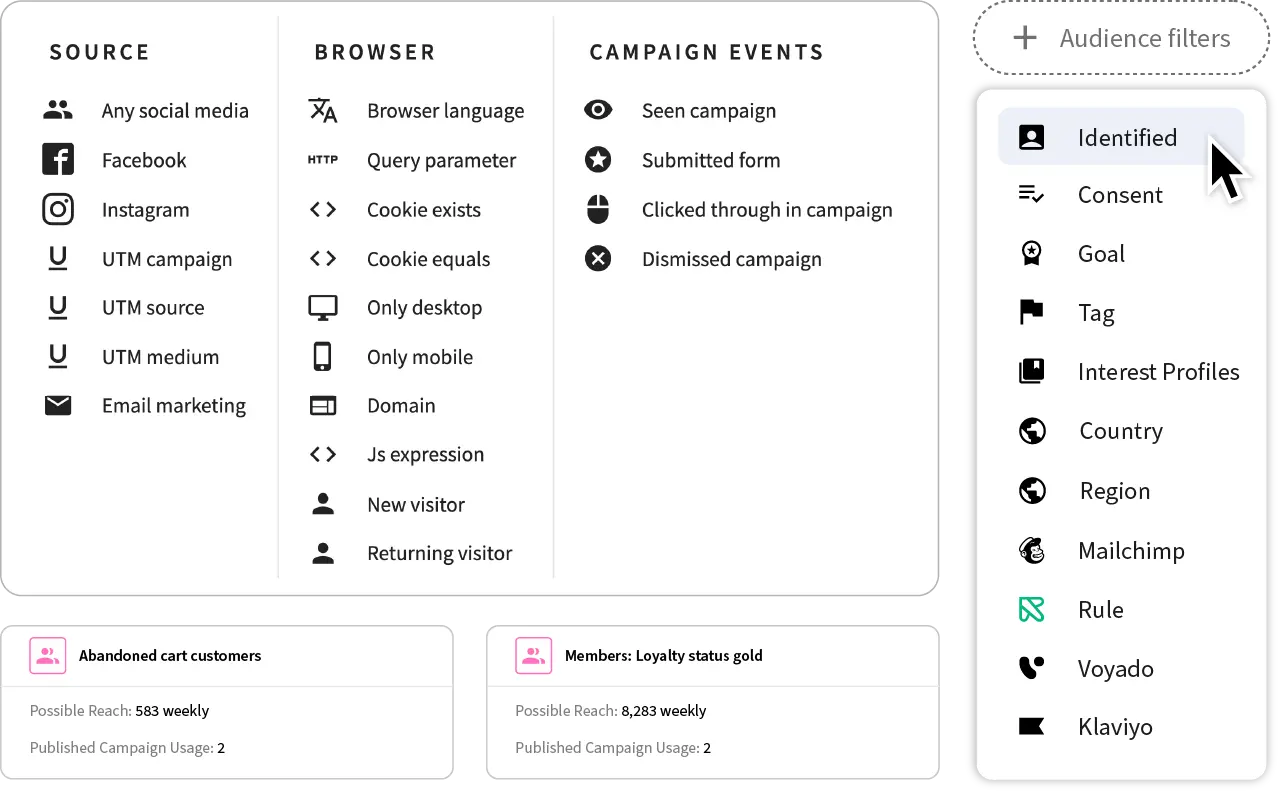
Triggerbee’s targeting engine lets you decide who sees your campaign, when, and where:

  • Exit intent (when a visitor is about to leave)
  • Time-based triggers (after X seconds)
  • Scroll-based triggers
  • Audience filters (new vs. returning visitors, logged-in users, CRM segments)
  • Page targeting (specific URLs, categories, or excluding checkout pages)

This ensures your wheel appears only when it’s relevant not random.

Every Triggerbee campaign includes analytics. You can track:

  • Views and form submissions
  • Conversion rate per campaign
  • Coupon redemptions and assisted sales
  • Drop-off rates between steps

You can also connect Triggerbee to your CRM or marketing automation tool to see which leads convert later through email or purchase.

Yes. Triggerbee’s Product Recommendation Quiz is fully responsive and works across desktop, tablet, and mobile. You can also use fullscreen layouts on mobile to make the experience more immersive without breaking your site’s flow.

Yes. Triggerbee integrates with your connected tools like Klaviyo, Rule, Voyado, Mailchimp, and others.

When someone submits their email, Triggerbee automatically adds them to your lists, segments, or automations.

As long as you know how you want the quiz to look, it won’t take long. If you’ve used any form of visual builder before, you can probably have a quiz ready to be published in under < 60 minutes from now.

Here’s what you need to do:

  1. Sign up for a Free Triggerbee Account
  2. Install Triggerbee’s code snippet on your website (so you can display your quiz where you want it)
  3. Choose a template and layout (overlay, full screen, embedded)
  4. Customize your design and prizes
  5. Add a coupon or form
  6. Set your triggers and audience
  7. Click Publish

No developers needed. You can launch your first campaign before the day is over.

It is available in all plans that include Gamification Campaigns:

  • Pro
  • Success

You can create different versions for different goals; from generating leads to rewarding loyal customers, and you can also A/B your campaigns them to find what converts best.